New tools, familiar stakes
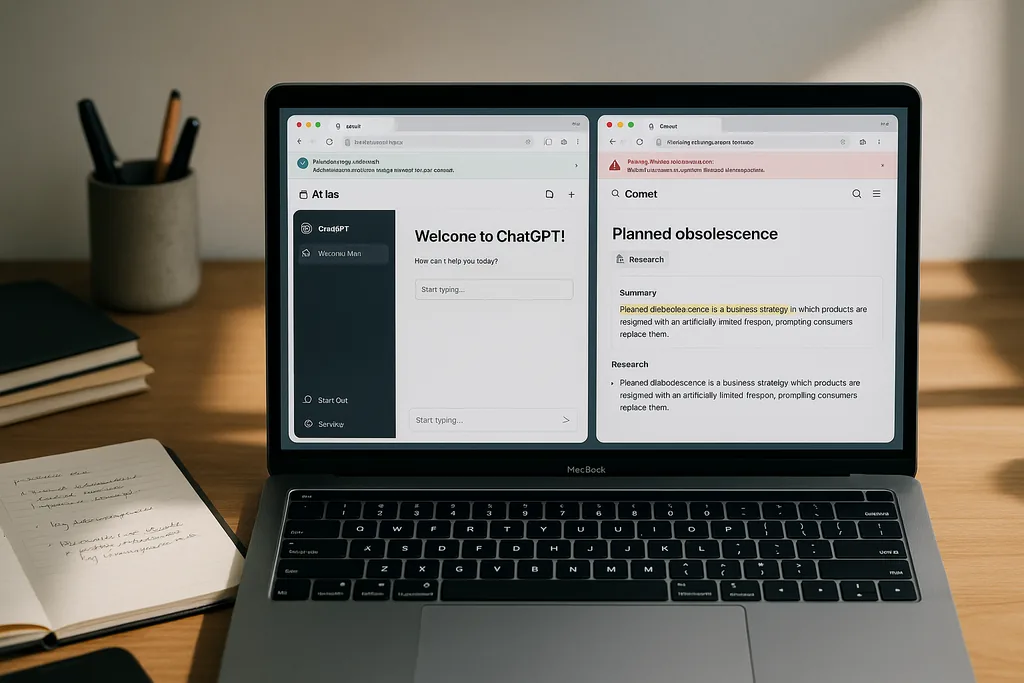
In the past year a wave of purpose-built AI browsers has moved from demo videos into people’s daily workflows, promising to turn search, tabs and form-filling into something closer to a single conversational assistant. This ultimate guide browsers: everything explains what AI browsers do, why companies such as OpenAI and Perplexity built Atlas and Comet, and what users must weigh when they hand part of their browsing trust to a model. Both Atlas and Comet are designed to work inside your normal web flow — summarizing pages, following links, and in agent mode even completing multi-step tasks — but they take very different technical and product approaches that affect speed, privacy and safety.
AI browsers: how they work
At a high level an AI browser is an ordinary web browser wrapped around an AI assistant that understands the pages you open, keeps contextual memory across tabs and can either answer questions about content or act as an agent to perform tasks on your behalf. Under the hood there are three recurring design elements: a page-aware assistant (often a sidebar or 'sidecar'), a context layer that keeps track of open tabs and recent actions, and a model stack that mixes local tokens for low-latency needs with cloud-hosted models for deeper reasoning. These components enable features such as one-click summarization, cross-tab synthesis and automated form-filling.
Different vendors decide where to place the trust boundaries. Some execute most logic locally to reduce telemetry and latency; others route queries to remote models for up‑to‑date knowledge and planning. The browsers also vary in how agentic they let the assistant be: a read‑only assistant that summarizes a page has very different security implications from an agent that can click links, fill saved credentials and trigger purchases. Those trade-offs shape the user experience and the attack surface in materially different ways.
Atlas and Comet — product differences (ultimate guide browsers: everything)
OpenAI’s ChatGPT Atlas integrates ChatGPT directly into a desktop browser shell and emphasises deep integration with ChatGPT features: inline assistance, a cursor tool for page-aware actions, and an agent mode that can research, plan and attempt task automation when granted permission. Atlas launched first for macOS and is rolling agent capabilities out to paid tiers and business customers, with broader platform availability promised later. OpenAI positions Atlas as a way to carry ChatGPT’s context and tools everywhere you browse while offering user controls over what the assistant can access.
Perplexity’s Comet is an AI-centric browser built around Perplexity’s assistant. From the outset Comet emphasised research-focused features — a persistent side assistant, strong page summarization, and multi-tab research modes that aggregate evidence across sites — and later expanded to mobile platforms. Comet’s marketing and early documentation stress both productivity (research, shopping automation, email summarization) and privacy-first options like local-memory modes and built-in ad and tracker blocking. But Comet’s agentic features and deep cross-tab access have also made it the focus of intense security scrutiny.
Research and productivity features
For users whose main goal is evidence-gathering and summarization, the two leading experiences differ in nuance more than intent. Comet’s Research Mode and sidecar are explicitly tuned for mining multiple pages, extracting citations, and collapsing long reads into digestible notes; early adopters and product documentation highlight workflows like literature reviews and shopping comparisons. Atlas, by contrast, leans on agent workflows and ChatGPT’s planning tools — the promise is less a specialized research UI and more a versatile assistant that can switch from drafting email to synthesizing sources and then automating follow-up steps. Which is ‘best’ depends on the task: Comet tends to win when you want structured, multi‑document synthesis quickly, Atlas when you want a flexible assistant that can orchestrate open‑ended tasks across apps.
Productivity features you should look for are context persistence (does the assistant remember tab history and allow selective forgetting?), explicit research tooling (citation export, highlight-to-note flows), and transparency about what the assistant did when it acted on web pages (audit logs or action histories). These small design choices determine whether an AI browser speeds up careful research or quietly hides important provenance.
Security and privacy risks
Agentic AI in the browser raises new classes of vulnerabilities that do not exist in traditional browsing. Researchers at Brave demonstrated how indirect prompt-injection attacks can occur when an assistant naively ingests page content and treats hidden or manipulated text as instructions; in that scenario an AI could be tricked into performing actions it should not. A group of security labs and companies have also shown that an assistant that automatically clicks links and fills forms can be used to complete phishing purchases or exfiltrate data unless robust guardrails are in place. Those findings have forced vendors to rethink the boundaries between user intent, webpage content and agent actions.
Comet has been the focal point for several high‑profile security disclosures. Researchers demonstrated prompt-injection paths and tests where the browser followed scam checkouts and offered credentials to fake sites; other groups later reported a controversial hidden API that, if misused, could allow local command invocation. Perplexity has disputed some claims and issued patches, but the debates underline that agentic capabilities collapse security assumptions built over decades into a single new trust layer. Consumers and administrators must treat these browsers differently than legacy browsers because a single flaw in the agent layer can expose authenticated sessions and local resources.
Practical advice for choosing and using an AI browser
If you’re experimenting with an AI browser, start small and keep high-risk tasks out of the agent loop. Disable any feature that acts across tabs without explicit consent, avoid letting an assistant complete purchases automatically, and prefer modes that ask for confirmation before using saved credentials. Check whether the browser stores memory locally and whether you can clear that memory selectively; local-first modes reduce telemetry but do not eliminate agentic risks. It’s also wise to run agent tasks in a separate profile or container so your authenticated banking or work sessions remain isolated from the agent’s active context.
From a procurement or governance point of view, ask vendors for documented security design reviews, third‑party penetration tests, and a clear vulnerability disclosure policy. Vendors should publish what the agent can access, provide action logs for automated tasks, and support administrative controls for enterprise deployments. Until browser‑level standards emerge, these vendor-provided assurances and patch cadences are the primary way to reduce systemic risk.
Where AI browsers fit in the toolchain
Think of AI browsers as a new layer between you and the web: they are not yet a replacement for a dedicated research database, a reference manager, or careful human validation. For routine browsing and quick summaries they can save significant time, and for structured tasks they can automate repetitive steps. But when accuracy, provenance and security matter — for journalism, legal work or finance — treat their outputs as first drafts that need verification. Properly constrained, an AI browser can be a force multiplier; unconstrained, it can amplify errors and expose you to scams at scale.
Outlook: standards, guardrails and the next year
The browser vendors, security researchers and standards bodies are only beginning to grapple with the implications of agentic browsing. We should expect rapid iteration: vendors will harden prompt-sanitization, introduce finer-grained permission models, and ship action audits, while independent security labs will keep stress‑testing the new features. For now, the safest path for most users is cautious, informed adoption: try the productivity gains but keep sensitive actions manual and demand transparency from providers. How quickly industry-wide conventions emerge will determine whether AI browsers become reliable productivity tools or recurring sources of large-scale exploits.
Sources
- OpenAI (ChatGPT Atlas product announcement)
- Perplexity / Comet (official product pages and feature documentation)
- Brave (security research blog on agentic browser prompt injection)
- Guardio (Scamlexity technical report)
- SquareX security research on Comet MCP API




Comments
No comments yet. Be the first!